![Beeye (Text).svg]](https://support.mybeeye.com/hubfs/Beeye%20(Text).svg)
Beeye allows you to export time and expense data for external analysis. Here are the details on how to do it:
Exporting time data:
-
Go to the Exports page.
-
Select Time.
-
Choose the period you want to export. You can also select and add the fields you want to include as columns in the exported file.
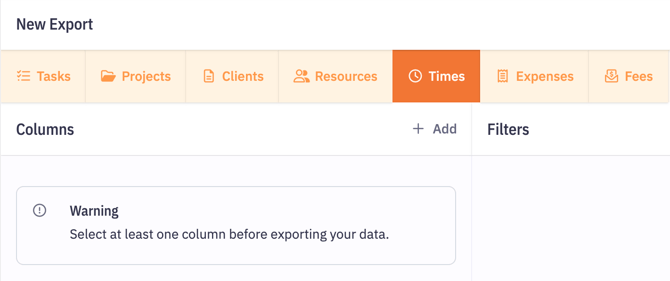
Exporting expense data:
-
Go to the Expenses section on the Exports page.
-
As with time data, select the period to export and choose the fields you want to include.
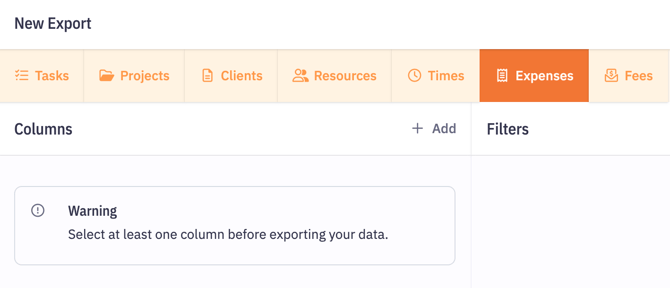
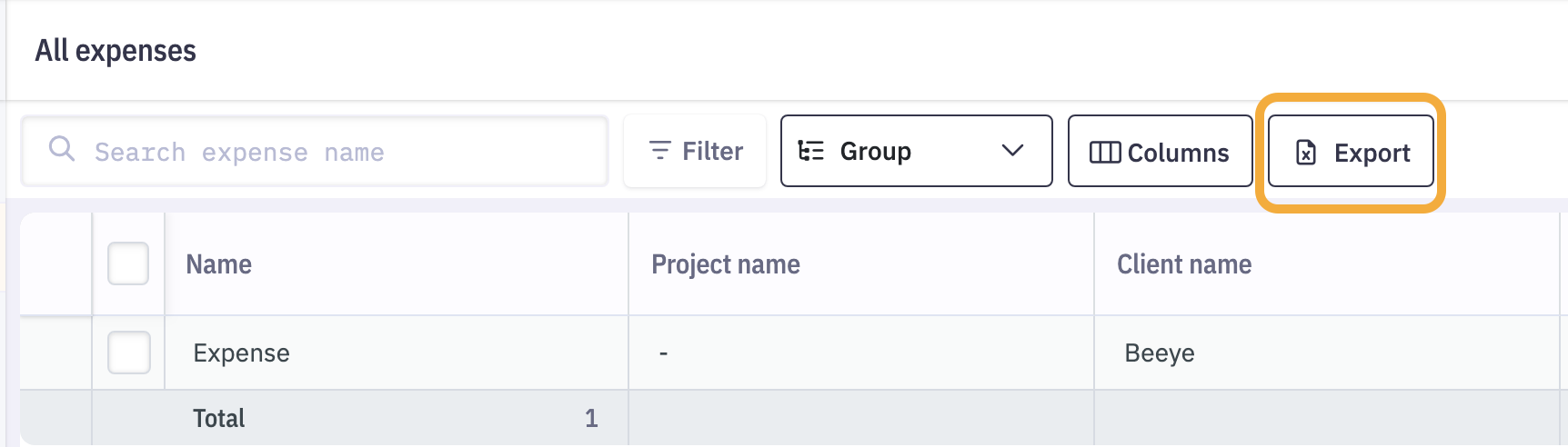
On the Expenses page, you also have the option to export the data currently displayed based on the view settings you have configured.
Using exported data: Once exported, the data can be opened in external tools such as Excel or other reporting software. This allows you to perform detailed analyses, generate custom reports, or integrate with other systems.
This feature provides great flexibility to optimize project management and analysis according to your specific needs.
Required access rights
Exporting data requires a role with Export access enabled.