![Beeye (Text).svg]](https://support.mybeeye.com/hubfs/Beeye%20(Text).svg)
The DataGrid allows you to easily export the data displayed in your view so you can analyze or share it in Excel.
Steps:
-
In the view toolbar, click on the Export button.
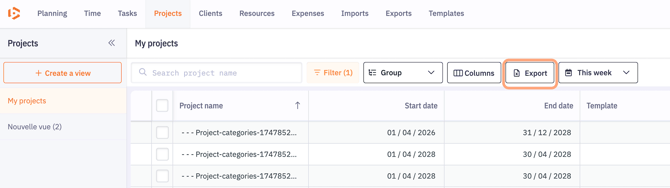
- An Excel file containing the currently applied columns, order, and filters will be generated and downloaded via the notification.

Note: Subtotals and totals are not included in the export.