![Beeye (Text).svg]](https://support.mybeeye.com/hubfs/Beeye%20(Text).svg)
In Beeye, assigning and reassigning tasks to different resources can be done manually or automatically, offering flexibility and efficiency in activity management. Here's how to do it in each case:
Manual Assignment
1. From the Tasks Page:
- Use filters to identify the tasks you want to assign or reassign.
- Select the tasks by checking their boxes.
- Click the “Owner” button in the action bar and choose the name of the resource.
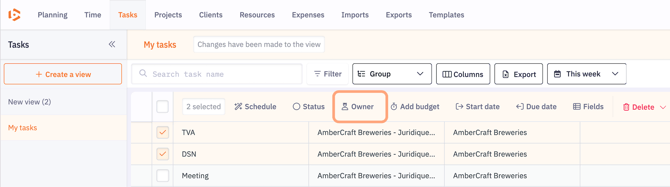
- You can assign both an Owner person (who supervises the task) and a collaborator (who will work on the task). Collaborator settings are configured at the budget level in the task options.
2. From the Project Sheet:
-
Go to the “Tasks” tab of the relevant project.
-
Change the owner for each task using the owner button.
-
Select the resource’s name from the right-side panel.
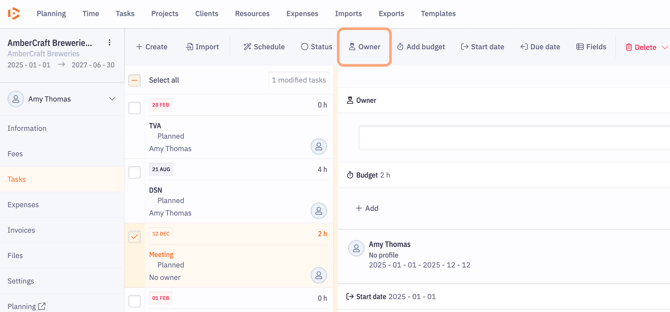
You can assign both:
-
A owner person (supervises the task)
-
A resource (executes the task)
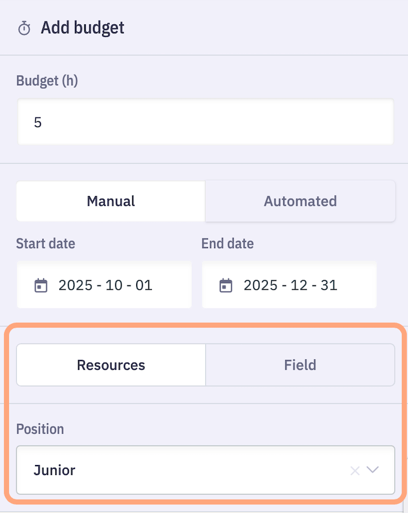
Budget-related settings are configured in the task options.
Note:
You can also view resource availability in the Budget panel, which helps select the right collaborator and ensures better management of overloads and conflicts.

3. From the Planning:
-
Select the card(s) of the relevant project assigned to a collaborator.
-
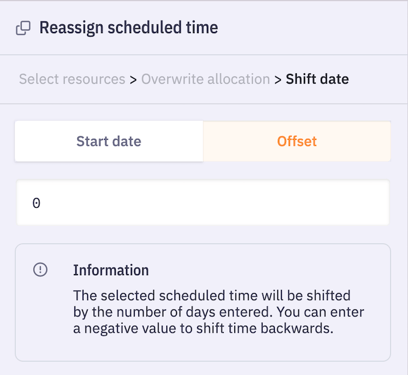
Click the Reassign button and choose the resource you want to assign to the card(s).
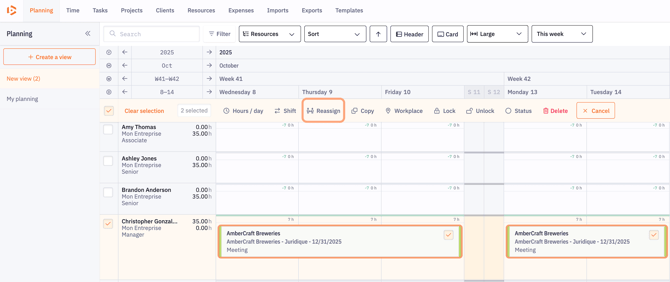
- You will then have fields allowing you to define the days on which you want to shift the cards in the schedule of the newly assigned resource.
In Automatic Mode
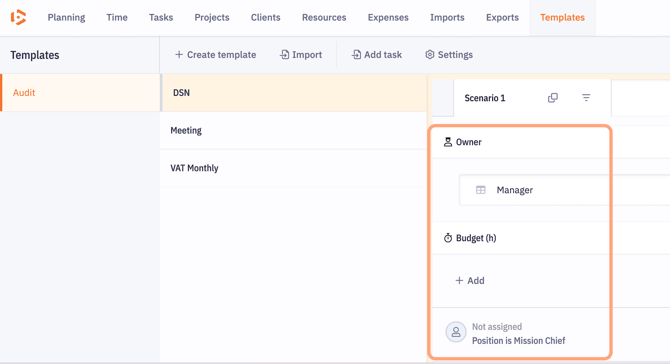
When creating projects from templates, task responsibilities can be assigned automatically using pre-defined configurations in the "Owner" section of the task template.
You can define the owner person based on different criteria, for example:
-
The owner person for other tasks in the template
-
A specific field of the project
-
A specific field of the client
Resource parameters can also be defined, and their automatic assignment is configured in the Budget section of the template.
Key Points to Remember
- Flexibility: Beeye offers great flexibility in managing task responsibilities, allowing quick adjustments based on project needs and collaborator availability.
- Automation: Templates simplify task assignment when launching new projects, ensuring efficient work distribution from the start.
- Tracking: After assignment or reassignment, it is important to communicate the changes to the relevant resources and monitor task progress to ensure deadlines are met.
This combination of manual and automatic options makes Beeye particularly suitable for dynamic project management, aligning resources with constantly evolving needs.