![Beeye (Text).svg]](https://support.mybeeye.com/hubfs/Beeye%20(Text).svg)
Yes, Beeye offers a project renewal feature, which is particularly useful for recurring projects such as annual audits or periodic follow-ups.
How to renew a project:
1. Access the project:
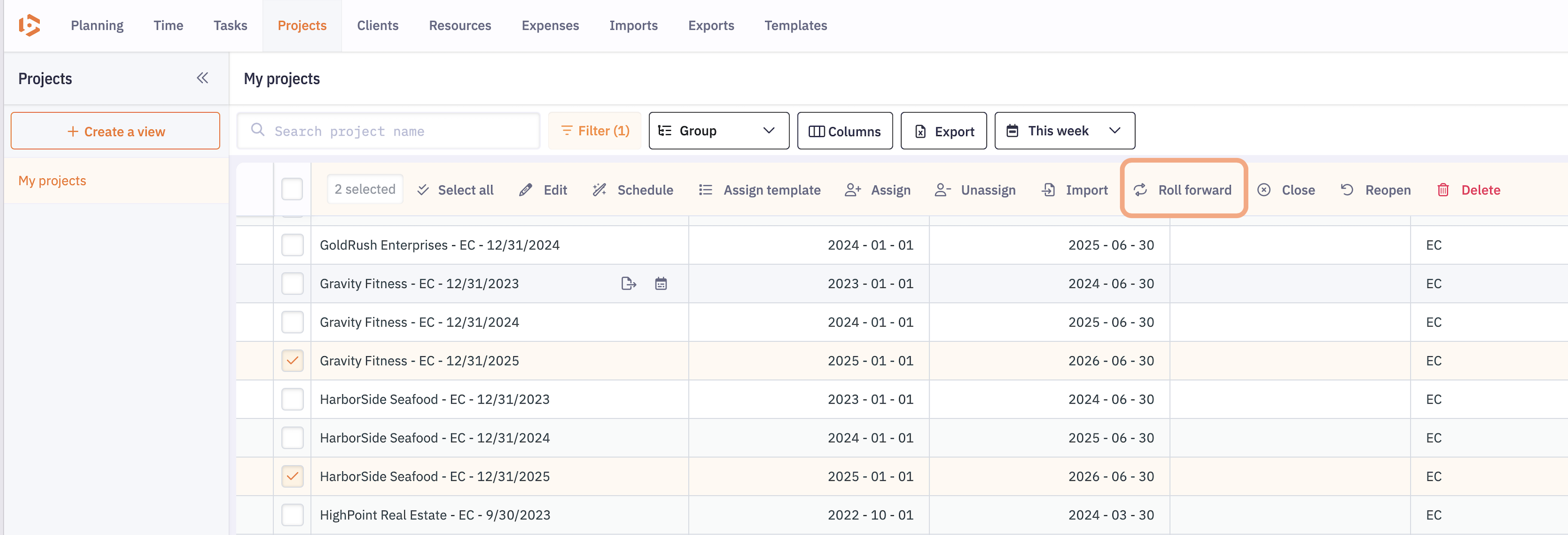
Go to the Projects page and select the project (s) you want to roll forward for the following year.
2. Use the roll forward option:
Click on the Roll-forward button available in the quick actions bar.
3. Configure the new project: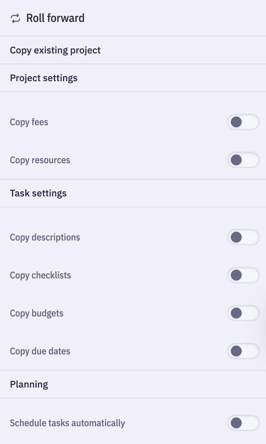
All key information from the original project will be pre-filled by default.
You can then:
-
Adjust the details as needed for the new period.
-
Roll-forward the planning identically or use Beeye’s artificial intelligence to adapt the planning based on availability for the new period.
This approach ensures project continuity while providing the flexibility needed to accommodate changes and client expectations, enabling a smooth transition from one year to the next.