![Beeye (Text).svg]](https://support.mybeeye.com/hubfs/Beeye%20(Text).svg)
To monitor project profitability and quickly identify budget overruns, you can display budget-related columns that compare the planned budget with the actual budget directly in the projects table.
Steps: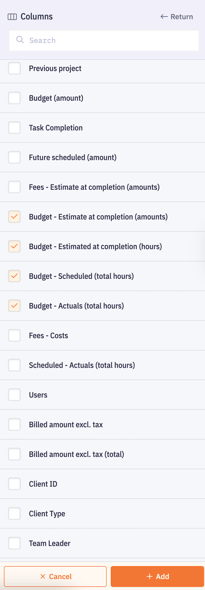
-
Go to the Projects page.
-
Click on Columns, then select + Add a column.
-
Search for Budget and choose the desired option
(for example: Budget – Forecast). -
Click + Add, then Save.
Result :
The new columns appear on the right side of the table.
They allow you to easily compare the planned budget with the actual budget and quickly identify projects that exceed their budget.
