![Beeye (Text).svg]](https://support.mybeeye.com/hubfs/Beeye%20(Text).svg)
Steps to follow
- Go to Settings (gear icon at the top right), then click on Team.
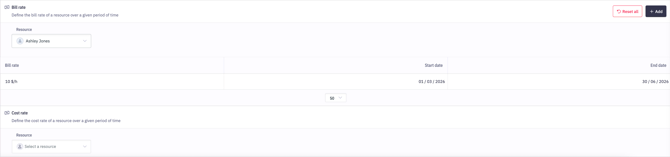
- Locate the Cost Rate / Bill Rate sections.
- Select the resource you want to update.
- Click Add or on an existing line to modify the cost rate and bill rate.
- Define the date range during which these rates should apply to avoid any overlap.
- Always check the effective dates before saving.
- Ensure that periods are properly defined to maintain data consistency.